
Guide: Converting Your WordPress Website to a Flutter App
Are you looking for Flutter app for any WordPress site?
Yes, you heard that right Flutter app for WordPress. Today’s digital environment relies heavily on mobile applications for their unmatched accessibility and convenience, making them essential assets. Elevate audience engagement by converting your WordPress website into a dynamic Flutter app. With Flutter, you can create striking desktop, web, and mobile applications seamlessly from a single codebase.
This blog is your roadmap to harnessing the full potential of mobile technology, facilitating a seamless transition of your WordPress site into an engaging Flutter app.
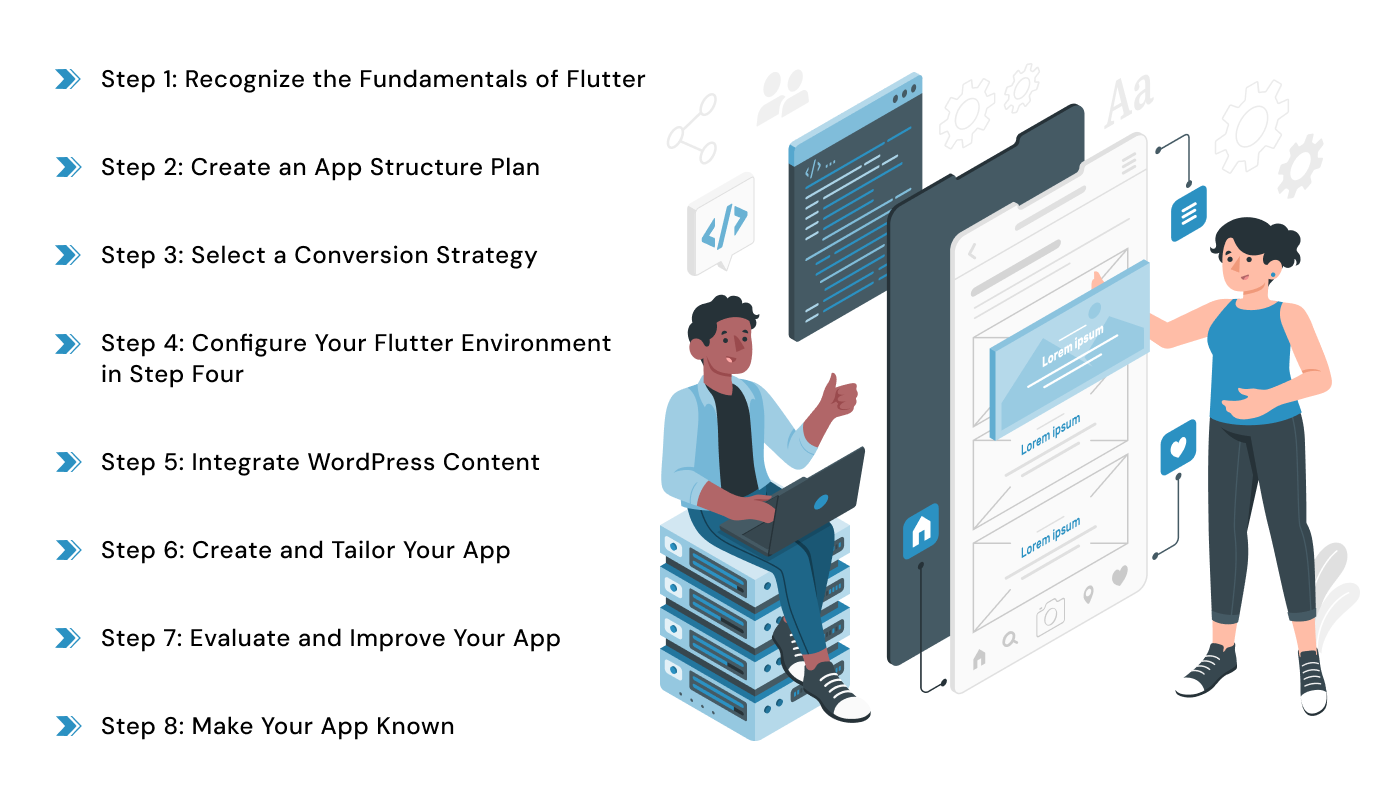
Step 1: Recognize the Fundamentals of Flutter
It’s important to familiarize yourself with Flutter’s features before starting the conversion process. The Dart programming language with Flutter’s widgets enable developers to create stunning, responsive user interfaces quickly. Take some time to go through the Flutter tutorials, sample projects, and documentation to get a basic understanding.
Step 2: Create an App Structure Plan
Choose which of your WordPress website’s main features and functionalities to incorporate into your Flutter app for WordPress. To guarantee easy navigation and engagement, take into account the interface design and user experience. To get a clear idea of the final product, sketch out the screens, interactions, and layout of the app.
Step 3: Select a Conversion Strategy
You can turn your WordPress website into a Flutter app for WordPress using a few different methods:
- Manual Conversion: This involves recreating your website’s functionality, content, and design using Flutter. While total customisation is possible with this method, it can be labor- and time-intensive.
- WordPress Plugins to Flutter: Look at plugins like “flutter_wordpress” or “flutter_wordpress_api” that facilitate the integration of WordPress content into Flutter apps. By showing data from your WordPress site’s API inside your Flutter application, these plugins speed up the conversion process.
- Headless WordPress: Take into consideration using a headless WordPress setup, in which Flutter manages the frontend display and interactions and WordPress acts merely as a content management system (CMS). More scalability and flexibility in app development are made possible by this.
Select the strategy that best fits your project’s needs, schedule, and level of technical proficiency.
Step 4: Configure Your Flutter Environment in Step Four
Set up your development environment (Windows, macOS, or Linux) according to your operating system after installing the Flutter SDK. Using the command-line tools that Flutter provides, create a new Flutter project for your application.
Step 5: Integrate WordPress Content
Set up your Flutter app to retrieve data from the WordPress website’s API if you’re using a plugin or headless WordPress approach. Make use of HTTP client libraries such as http or Dio to get posts, pages, photos, and other content dynamically through API queries.
Step 6: Create and Tailor Your App
Use the Flutter widget library to create a user interface (UI) that complements your WordPress website’s identity, color scheme, typography, and graphics. Use dynamic animations, adaptable layouts, and user-friendly navigation structures to improve user experience on a variety of screens and devices.
Step 7: Evaluate and Improve Your App
Make sure your Flutter application works and is compatible by thoroughly testing it on a variety of devices and emulators. To ensure a seamless user experience, use Flutter’s debugging tools to find and fix any possible problems or faults inside your codebase.
Step 8: Make Your App Known
It’s time to release your Flutter app to the Google Play Store (for Android users) or the Apple App Store (for iOS users) if you’re happy with its functionality and quality. For app submission, abide by the relevant app store’s rules and procedures for app icons, descriptions, screenshots, and privacy policies.
Here’s why Flutter app for any WordPress site is the ideal choice:
- Efficiency: Develop both iOS and Android apps from a single codebase, saving time and resources.
- Rapid Development: With Flutter’s hot reload feature, see instant changes to your code reflected in the app, speeding up the development process.
- Beautiful UIs: Create stunning and customizable user interfaces using Flutter’s rich set of widgets.
- Superior Performance: Flutter apps are compiled directly into native code, ensuring high performance and smooth operation on both iOS and Android devices.
How to Get Started with Flutter for WordPress?

Flutter for WordPress is available in both free and pro versions.
Let’s dive into the steps to convert your WordPress website into a Flutter app:
Step 1: Set Up Your Environment
Install Flutter following the official installation guide.
Choose an IDE such as Android Studio or Visual Studio Code for Flutter app development.
Step 2: Create a New Flutter Project
Generate a new Flutter project using the Flutter CLI.
Enable Flutter for the web and create a web directory within your project.
Step 3: Build the User Interface
Design the UI of your app using Flutter widgets.
Fetch data from your WordPress site using HTTP requests to the WordPress REST API.
Step 4: Display WordPress Content
Populate your Flutter app’s UI with content fetched from your WordPress site.
Step 5: Test Your App
Test your app on both web browsers and mobile emulators or devices.
Optimize your app’s UI and layout for mobile devices.
Step 6: Publish Your App
Prepare your app for release on the Google Play Store and Apple App Store.
Features Needed to Convert WordPress Site to Flutter App
Utilize Flutter packages for essential features such as state management, routing, and more:
- State Management: Choose from popular Flutter packages like Provider, GetX, Bloc, or Mobx to manage app-wide state efficiently.
- Routing: Simplify navigation with packages like Navigator 2.0, Get (GetX), or Fluro.
- Other Features: Explore packages for HTTP requests, image loading, local storage, and authentication to add functionality to your app.
Conclusion
Converting Flutter app for any WordPress site streamlines your online presence and enhances user experience. By combining the flexibility and efficiency of Flutter with the required packages for routing and state management, you can provide your customers with an ideal mobile experience. Whether you’re beginning from scratch or updating an established app, working with a top-tier Flutter app development company like Prakash Software Solutions Pvt. Ltd can ensure a smooth transition and excellent mobile app development services.
Happy Reading!!