

SharePoint Employee Onboarding and Offboarding Portal: Includes Checklists and Automation Features

The onboarding process of any employee is one of the most important processes, as it not only reveals a great deal about the company’s culture but also serves as a testament to its approach to handling things. The first day of any new joinee is all about filling out various forms, meeting team members from different departments, and learning about the company. Successful on-boarding is about making these time-consuming processes more efficient and less overwhelming. Modern companies are leveraging SharePoint to streamline the process and support workflows. If we delve deeper into the numbers, organizations with the best onboarding processes increase the retention rate of new hires.
SharePoint for Employee Lifecycle Journey: Why does it Matter?
Hire a SharePoint consultant, and you will realize that it can do a lot more than being a document storage solution. Its rich features can uplift the onboarding process of your organization by centralizing tasks, files, approvals, and communication for both SharePoint employee onboarding and SharePoint employee offboarding. By connecting it to Microsoft 365 and Power Platform, it acts as an entire system. Here are the core benefits of SharePoint for the employee lifecycle journey:
- Streamlined onboarding process: The traditional onboarding process involved a lot of paperwork, manual data entry, and time-consuming coordination. SharePoint transforms this method with automation and streamlined workflows. The portal has automated features that can handle routine tasks, including collecting personal information, tracking form submissions, and scheduling orientation sessions.
- Improved Compliance and Risk Management: These days, it’s necessary for businesses of all sizes to make sure that they comply with laws and regulations. An onboarding portal stands as a crucial part in facilitating compliance management. The portal stays updated with the latest laws, particularly in the relevant industry, ensuring that employees are also informed. Employees receive automated reminders, asking them to read rules or watch training videos based on priority levels. Employee timestamps and signatures are saved as proof.
- Improved Employee Experience: Few people truly enjoy their first day of work; for most of us, it’s boring and filled with paperwork. The digital age is transforming this by making the onboarding process an engaging and interactive experience through gamification elements like earning badges, earning points for completing modules, interactive quizzes, assessments, and offering constructive feedback.
- A centralized location: SharePoint improves the employees’ experience by providing them with a centralized location that contains all the information they need at a single click. Even the HR, IT, finance, facilities and other hiring managers can easily access the same source inside the SharePoint onboarding portal.
➔ Here you can hire a SharePoint consultant who can help you leverage the benefits of SharePoint:
Key Capabilities of a SharePoint Onboarding and Offboarding Portal
SharePoint for onboarding and offboarding helps to transform IT processes, enhance security, and smoothly integrates new joiners while managing departures.
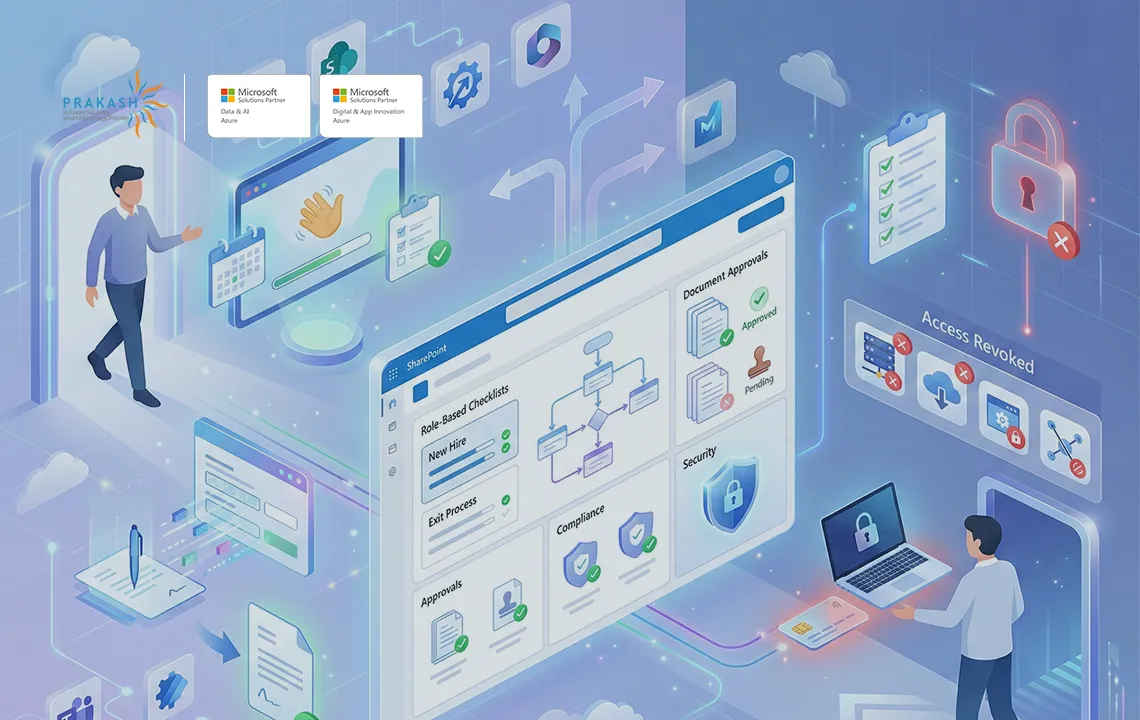
1. Role-Based Checklists and Journeys
When everyone knows what needs to be done next, processes become easier and more efficient.
- Powerful templates: Customizable tasks by country, department, seniority, and employment type.
- Due dates and SLA tracking: The due dates and SLA tracking keep track of what’s overdue, blocked, and what’s on point.
- Manager and buddy views: Having an onboarding buddy will help make the first few days of a new hire better.
2. Acknowledgement of Policies and Documents
A simple digital system that makes managing important workplace documents easy; it also ensures that employees have read and understood them.
- Key company files, such as employee handbook, code of conduct, privacy notices, and role-specific SOPs, are secured in one place so that they become easily accessible by anyone anytime.
- Once employees are done reading or reviewing, the electronic sign lets them give confirmations, which are saved automatically in their personal libraries.
3. Account Provisioning and Access Management
By leveraging Power Automate and Entra ID, the organization’s setup can handle employee onboarding and offboarding automatically, linking them to HR systems.
- Power Automate pulls data for new joiners from HRIS or ITSM, then uses Entra ID to assign a Microsoft 365 license through group-based licensing.
- During an employee’s exit, the flow reverses everything by disabling sign-in, revoking access via Entra ID or even blocking access immediately.
4. Hardware and Asset Logistics
- This includes the return of any company-provided device during the offboarding process, which might include laptops, badges, mobiles, credit cards, and keys.
- Link the device return to the offboarding checklist; without that, the process can’t proceed further to the final settlement.
5. People and Culture Experiences
- Auto-generate welcome posts in Teams, schedule team introduction meetings, and add new joiners to communities.
- The portal has embedded micro-learning playlists and role-based training.
Make the onboarding process of new joiners easy and hassle-free with PSSPL’s SharePoint development services.
How a SharePoint Development Company Ensures Better Data Security?
When businesses hire a SharePoint consultant, the consultant helps manage data security during the onboarding and offboarding processes. Old ways or manual processes often lead to errors and inconsistencies. Due to this, the chances of data breaches and exposure to unauthorized access rose at a faster pace. A SharePoint development company will help businesses in taking precise and timely steps when it comes to consistent data management and improving security. With advanced technologies, data protection becomes easier.
The Onboarding Checklist (SharePoint Version)
You can use the following template and adapt it based on your region and role.
- Welcome Dashboard: A personalised welcome dashboard that welcomes new employees with greetings, core contacts of team members and other leaders, and a summary of their timetable for the first few days in the organisation.
- Onboarding Checklist: This checklist’s main goal is to guide new people in the organisation with a checklist for all the necessary documents that are required.
- Training Module Integration: The training module integration includes training sessions, videos, and quizzes.
- Document Library: A library for all onboarding-related documents with search and filter capabilities, helping users to find everything easily.
- Feedback and Survey Tool: Traditionally, feedback from new hires on their onboarding process was not given much importance; HR staff often ask verbally about the same. With the passing of time, the importance of written feedback on the onboarding process carries significant weight.
- Social Integration: Today, staying socially connected plays an equally important role in building an engaging company culture. The web parts, such as links to internal social networks, team collaboration sites, and message boards, encourage social connections.
Checklist for Offboarding (SharePoint + Power Automate)
Send Notifications and Classify the Exit:
- Determine the type of exit, whether voluntary or involuntary, risk level, and applicable local rules about the same.
- Set the effective exit date/time, when to disable the badge, and final access cutoff, mostly within 24 hours.
Handling Access and Data:
- Stop sign-ins and cancel tokens in Microsoft 365.
- Remove from Azure AD groups, revoke the license, and stop email forwarding.
- Revoke access to cloud apps (via SSO/SCIM) and end guest access.
- Export mailbox and Teams chats as per policy, keep them if required legally in the future.
- Transfer ownership of OneDrive and SharePoint files.
- Go through the external sites and shared links, and remove them if necessary.
Pass On Knowledge:
- Craft a handover plan and assign backups.
- Record lessons learned using an easy template.
- Archive or update key documents in team sites.
Wrap up and Keep Records:
- Send an exit interview survey; get return confirmations with proofs like photos, documents, and shipping receipts.
- Create a completion certificate in PDF form with Power Automate and save it safely so that you can find it easily later on.
- A smooth offboarding is crucial to cybersecurity in a world where data breaches are common and increasingly costly.
What Are Some Common Pitfalls, and How Can You Avoid Them?
While some issues during offboarding may appear small, they can actually cause bigger problems, such as security risks and confusion. Here are common pitfalls and how to avoid them.
Too Many Manual Steps
It’s advisable to automate day-to-day tasks, such as access revocations or notifications, to reduce the possibility of human error.
Unclear Task Ownership
Every task should come with a firm deadline, and the person responsible for the same should be mentioned clearly.
Late Access Revocation
It’s best to revoke access within 24 hours of the exit date.
Asset Return Without Proof
You should always ask for photos, serial numbers, and receipts in the employee’s exit files, and avoid accepting devices without evidence.
Training Without Measurement
It’s advisable to always measure success, because training staff without conducting tests or tracking results makes it difficult to determine and update future needs.
SaaS Access Drift
App permissions can get messy over time. Regularly check them against HR records to catch forgotten accounts.
Why Choose PSSPL (SharePoint Development Company) as a Seasoned Partner in Microsoft 365 and Enterprise Delivery?
When you hire PSSPL as your SharePoint consultant, you also get a team of architects who deeply understand HR, IT, and compliance realities. They have been helping businesses to streamline employee life cycle management, increasing employee engagement and retention, and reducing hiring and learning and development (L&D) costs.